Monday, 13 February 2012

Acer Liquid Mini E310


Price: 11990
Digit Rating: Average
3/5image description
Features:        7.5

Performance:  5.5
7.5
Value:
5.5
Design:

PROS

  • Android 2.2 preinstalled (and upgradeable to v2.3)
  • Implementation of Breeze UI is quite good
  • Affordable pricing

CONS

  • Camera quality is not good
  • Poor legibility of screen under bright sunlight

Summary

defaultAcer Liquid Mini is a good phone for those who have a limited budget and want a feature-rich touchscreen phone. If you are looking for a great camera phone, this is not the one. At a street price of Rs. 10,900 this phone is economically priced, but it still has some shortcomings which we have highlighted in the review.
Android phones across brands have a high end model and a slightly slower and economical model in the same series. Acer has entered that list of brands by coming out with the Acer Liquid Mini E310 which is a younger cousin of the higher end Acer Liquid.
Look and Feel
Out of the box, the Acer Liquid Mini looks very much like its elder cousin although with a smaller screen size of 3.2-inches. It has a resolution of 320 x 480 pixels and has a TFT capacitive LCD display. The phone comes in back covers of different colours, we got the piano black model.
The back cover has nice rounded edges, but the plastic build feels a bit flimsy. The cover can be detached by using the two grooves on the edges on either side of the phone, those without nails, will face a bit of an issue opening the phone. The left hand side of the phone is clean whereas the right hand edge has the volume control buttons on the top and the camera shutter button below. Chromed strips of plastic line the top and the bottom edges. On the bottom edge you have the microUSB port whereas on the top edge you have the power button and a 3.5-mm audio jack on the side. The screen has touch sensitive buttons such as home, search, back and options. The phone houses a 5 MP camera on the rear side which is not accompanied by any flash unit. There is a small circular grilled opening in the lower half of the rear side which is the speaker unit.
Gripping the phone is easy due to the rounded shape despite the the back cover being a glossy plastic. The phone is a finger print magnet though, both on the screen as well as the glossy black cover.
Features
The Acer Liquid Mini houses a 600MHz Qualcomm MSM 7227-1 SoC and runs on Android FroYo (v2.2). Although the phone is upgradeable to version 2.3, the model we had was shipped with version 2.2. As with the other versions, the Liquid Mini also has the skinned Android OS. The Breeze UI 4.0 has been slightly modified in the Mini. When you go on the left hand side from the main home page, you will get a history of things done on the phone, applications or websites accessed. This is presented in a coverflow style which is continued on the right hand side which gives access to the media - music, photos and videos. The coverflow interface looks much better than the semi-circular interface that was seen on the Acer Liquid. We found the coverflow interface to be quite fluid, which is a plus.
The lock screen has some interesting features, in the sense that apart from just locking the touchscreen it also has a call and message indicator. You can also have your pattern lock underneath it.
The Notification also incorporates some settings functionality. It is side scrollable as well, with the main page showing options such as battery indicator, Wifi, Bluetooth, etc. If you have music on or if the phone is connected to the PC, then you can scroll sideways to manipulate the settings on your music or use the phone as a USB drive when connected to the PC. Although it may seem like an unnecessary thing, we found it was quite useful as you get more control over specific functionalities right from the notification bar. Also side scrolling is better than having everything on the same screen.
The main homepage can be divided into two sections. the upper portion houses the clock and a single widget app whereas the lower half has a box with eight most used applications. These apps can be changed according to your usage scenario. The widgets app tries to make up for the absence of multiple home screens in the Liquid Mini.
The apps screen is arrange in the form of pages which can be scrolled sideways, with the box of most used apps always on the top.
Google’s bundled apps such as Gmail, YouTube, Navigation, Maps, etc are quite good as usual, but some of Acer’s custom apps such as Social Jogger seem pointless. Now there are a million apps out there which integrate your social feeds in a much more practical manner. The UI on the SocialJogger looks good, but functionality is lacking and thanks to the 600MHz processor, the rotary dial is not as smooth as we would like it to be. NemoPlayer, an Acer custom app, is quite a decent media player. urFooz is another avatar based portable ID that allows you to aggregate all your social feeds, organize your web favourites such as photos, videos, etc. Would anyone really want another ID to manage your other IDs? We dont think so.
The onscreen keypad is a nightmare to use in the portrait mode as you will end up with a lot of typos. Landscape orientation is the best way to use it. But we have seen much better QWERTY keypads on other touchscreen phones.
Camera and Sound
Acer Liquid Mini houses a 5 MP camera without flash. A dedicated camera shutter button is located on the right hand edge. You have an on-screen zoom slider. The camera is good for outdoor shooting but do not expect exquisite details. Indoor shots were very noisy. Still images lack colour clarity. Another downer is the fixed focus shooting, so forget macro shooting. Video shooting is strictly OK with a jerkiness quite apparent when you move your camera even a little fast. You cannot zoom in or out once the recording has started. On the whole, the camera experience is a letdown.
Sound quality was quite OK and its good only for casual listening to mid frequncies. We found the bass to be lacking, but then we did not expect much bass anyways. The bundled earphones are useless when there is noise in the surroundings. So you will not have a very good experience if you are using these earphones while travelling in the trains for instance. The onboard speaker is not very loud.
Performance
Call clarity was good in Zone 1 and Zone 2 and we did experience voice breaking in Zone 3. We did not experience any dropped calls. One thing we found annoying was that whenever you attend a call, the screen gets locked automatically. So every time you want to access it, you will have to double tap on the screen to get inside the menus, which is very annoying if you have to refer to data on your phone.
The display on the phone is not very impressive. Text appears quite crisp, but the colours lack the punch thanks to a low contrast. Forget reading the phone in bright sunlight without covering it with one hand to block some light.
Navigating the UI is easy and we did experience a minor lag while scrolling through the app screens as we started adding more apps to the phone. But the phone did not hang or stop responding. The skinned UI does not tend to hamper your Android experience. Using the in-built browser was great, although the web pages do not realign as you zoom them which could have been implemented.
It houses a 1300 mAh battery which is good for a day and a half of normal operation.
Verdict
Acer Liquid Mini is a good phone for those who have a limited budget and want a feature-rich touchscreen phone. If you are looking for a great camera phone, this is not the one. At a street price of Rs. 10,900 this phone is economically priced, but it still has some shortcomings which we have highlighted in the review.
If you are fine with a slightly lower resolution, another economical option is the Samsung Galaxy Fit which comes around Rs. 9500 and has a slightly lower resolution, but higher colours than the Liquid Mini. Also the camera on the Fit is much better than Liquid Mini. Between the two, unless the Mini comes under the Rs. 10K price point, we would suggest you go for the Galaxy Fit.
Specifications
Quad band GSM phone; 3G capable; 600MHz processor; Android 2.2 (Froyo) with Breeze UI 4.0; 3.2 inch display (320x480 pixels); Wi-Fi and Bluetooth; 1350 mAh battery
Ratings
Features: 7
Performance: 5.5
Build Quality: 5.5
Value for money: 7.5
Overall: 6

Price: Rs. 10,900 (MRP)

Nokia N8


Price: 23867
Digit Rating: Good
3.5/5image description
image description
Features:
image description
Performance:
image description
Value:
image description
Design:

PROS

  • Much improved performance
  • Superb battery life

CONS

  • Social networking integration & apps are still rubbish
  • Widget sizes still restricted; variety of widgets also suffers

Summary

The Nokia N8, until now, had one major problem - the truly pathetic Symbian^3 OS. However, that problem has now been solved with the Anna update. The otherwise floundering smartphone is now a hugely improved overall package. For this price, we would definitely recommend this phone to anyone who wants a Symbian device. And a monster of a camera!
This is the classic case of a device realizing its potential much after we expected it would. The Nokia N8 has been around for about a year now, but the completely undercooked Symbian^3 OS had ruined what was a superb phone, at least as far as the hardware is concerned. However, that has changed now, with the Symbian Anna update.
Look & Feel
The design of the phone has been left unchanged, but a new colour has been added – hot pink. Maybe that’ll help appeal to a wider demographic!

The 3.5-inch touchscreen takes up almost all the space on the front, with just enough left for a hardware key, for the Menu. The SIM card and the microSD slots are on the left side panel, along with the micro USB port. The right side panel has the volume rocker, the display lock slider and camera key. Turn the phone over, and there is no battery cover that can be opened. Nokia went the Apple way and made the battery inaccessible to the user. While that is a good thing since there are less number of moving parts on the phone, but does pose a bit of an inconvenience when the battery needs to be replaced. The 12MP camera does sit in a platform that bulges out. Quite understandably, since the massive camera needs space and the extremely slim form factor definitely didn’t offer enough space. However, since one complete side of this raised platform bears all the weight when the phone is kept on a flat surface, it will get scratched and the colour will wear out quicker. Are we back to the days when the kept the likes of the Nokia 6600 face down, mostly to prevent the battery from getting scratched?
There is no doubting the solidity of the phone. And at 135 grams, it isn't the lightest around. However, the 3.5-inch display means that the phone fits in very comfortably in the same hand that may be used to type out an SMS. Maybe that Menu key could have been a touch sensitive one.
Features
The biggest update this phone has received is the Symbian Anna update. And a breath of fresh air is has been. The Symbian^3 that had originally come with the N8 was sluggish, prone to freezes and crashes, and immediately killed any expectations that it was the real iOS and Android beater. With Anna though, the phone does feel lighter, and less stressed. Minor UI improvements include icons with rounded edges and slightly redesigned menus. However, the promised update to allow widgets of multiple sizes has been left out. That’s a huge disappointment since the very limited size means Facebook and Twitter widgets are out of question.
When this phone was launched towards the end of last year, the 12MP camera was the best around. We expected the competition to catch up in the space of a year, but no. This 12MP camera is still pretty much the best we have seen in smartphones.
Performance
With a 680MHz processor powering the N8, it was never going to be the fastest smartphone around. However, post the Anna update, it does feel a lot faster. The UI is smoother, apps respond quicker, and even flicking though the home screens and apps list is relatively stutter-free. Now relate this to the experience with the original Symbian^3. The phone was extremely sluggish, would refuse to open apps until its mood was made up, there were constant OS freezes and crashes – and the inevitable reboots.
If this is the amount of development that we have seen with Anna, Symbian still has a bright future. Provided Nokia can pair it up with faster processors and generous amounts of RAM.
Thanks to the slicker UI experience, the touch response has also improved. Typing out messages is a delight now. The on-screen keypad has been tweaked slightly, but we still find it more comfortable in the landscape mode.
Click to enlarge


If you use the phone to click a lot of pics, this camera will surely impress you a lot. The 12MP one is still the best around, even though it has been almost a year. This one does well even in not so good lighting conditions. 720p HD video recording is worth its salt.
We had praised this web browser when we had reviewed the Nokia E6, and it is just so much better to use on a bigger display. Pages render quickly even on a slow EDGE connection, but some pages don’t really snap fit well. However, that is a minor niggle, and we really wont be too bothered about that.
Battery life, however, is what makes our eyes well up with tears of joy. The battery on the review unit that we received lasted us three days from full charge to complete discharge. And this when it under load of quite a few calls, lots of WhatsApp chats, continuous web connectivity (EDGE or Wi-Fi), doses of web browsing and even sessions of Need for Speed. Reminds us of the days of the N95 and the N82, those batteries lasted a week before we plugged in the charger.

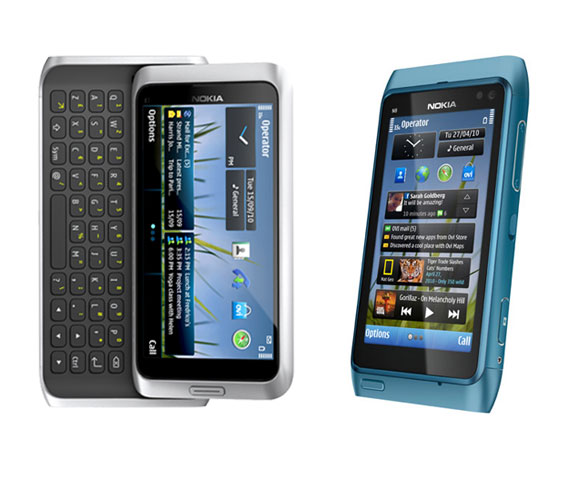
Left : Nokia N7 Right :  Nokia N8
Our Take
The Nokia N8 is a smartphone reborn. The much-needed OS update breathes a fresh lease of life into a device that was floundering despite its rock solid hardware. At around Rs 23000, the N8 does make sense as a smartphone, now. The excellent 12MP camera, much improved OS performance and excellent battery life should work in its favour, when you consider the options.
Price: Rs 23867
Specs 
Platform: Symbian Anna; Processor: ARM-11 @ 680MHz, 256MB RAM; Display: 3.5-inch AMOLED (640x360 pixels) capacitive display, Gorilla Glass; Storage: 16GB built-in, microSD slot up to 32GB; Camera: 12MP with 720p HD video; Battery: 1200 mAh; Extra features: USB-on-the-go feature for file transfer from USB devices, HDMI out
Ratings
Features: 7
Performance: 7.5
Build: 7.5
Value: 7
Overall: 7

Samsung Wave III


Price: 19600
Digit Rating: Good
3.5/5image description
image description
Features:
image description
Performance:
image description
Value:
image description
Design:

PROS

  • Very good display
  • Slick UI

CONS

  • Looks too similar to Android
  • Not enough apps

Summary

There is absolutely no doubt that the S8600 has excellent specs on paper, performs well and has a very good display. Beyond that, you are left wondering what this smartphone is all about. Neither does it have the oomph of an iPhone, nor the sheer app numbers of Android. And nor does it have the user experience offered by Windows Phone Mango. Its price rivals, the Samsung Galaxy S (Android), Samsung Omnia W (WP Mango), and iPhone 3GS (iOS), all offer a better OS and app experience.
In an ecosystem where only the fittest survive, we have seen the fit become fitter (Android and iOS), and the not so fit (Windows Phone 7.5) becoming very fit! Nokia seems to be thinking on the right lines when it is hedging its future bets on Microsoft’s born-again smartphone OS. RIM is fighting, and fighting hard. Which leaves us the burning question of the day - where does Samsung's Bada fit in?
Look & Feel
At a first look, and even much beyond that, the Wave III does seem to have a classy look and a solid build quality. Quite helped by the chassis that is made mostly of metal. The 9mm thickness and 122 grams of weight isn't bad considering this smartphone falls in the big screen category - 4.0-inches and beyond. Below the display are the two touch based keys for call connect/disconnect. Flip the phone over, and we have and we have the halfway slide to open battery cover. Keeping in mind this is a high-end Bada smart phone the easy to slide open (only partly) mechanism is a welcome design and usability element.
Features & Performance
The Wave III is powered by a 1.4GHz processor single core processor and paired with 512MB of RAM. There aren’t too many apps to try out the performance bit as it is, but we did install a bunch of apps and let them run in the background. And am happy to report that the interface remained quite slick throughout.
There is 4GB of internal storage as well as a microSD card slot (up to 32GB) that should be enough to hold most of the music collection.
The 4.0-inch Super AMOLED display is a delight to use, thanks to the crispness of the text written and a very good brightness level. Surprisingly, the colour wasn’t as vivid as the one we have seen on some other devices with the same display. But that might actually be a good thing, since it’ll negate the overbearing red colour shades from the equation. The crispness of the text is a huge bonus, and added to that is the slightly bigger font sizes (when compared to Android) - a perfect combination to help read messages and mails comfortably
The most important ingredient of this particular dish is the operating system - Bada 2.0 version. This is the update to the version we had seen when we had reviewed the Wave II smartphone earlier this year. However, Samsung’s treatment of the OS on this particular device makes it look like Android more often than not. The TouchWiz UI retains the same look, as on most Android phones. Move on to the applications list, and the UI treatment is very similar to the Galaxy SII, again! Samsung has loaded the Wave III with its apps - Music Hub and Social Hub. A new add-on is the app Chat-On, which works like the Blackberry Messenger and WhatsApp. However, comparing to the previous version, Bada 2.0 looks and feels much better to use. Partly it is the effect of the UI skin, but even then, the icons are better, and the transition animations give it a classy aura, perhaps befitting the powerful hardware.
The 5MP camera can record 720p HD videos. The picture quality is quite good, and in good lighting conditions, there was literally no noise. That does slightly creep in as the ambient brightness goes down. Videos are smooth, but do suffer from ever so little jerkiness in pan shots.
The 1500 mAh battery does tend to hold up quite well. You should get about 2 days on a single charge, with EDGE/Wi-Fi connected throughout.
Our Take
If we look at the Wave III in isolation, only considering the performance and the specs, then it is an excellent deal. It delivers on both counts, and adds a solid yet classy build to it as well. However, the moment the blinkers are removed, the problems creep up. At the same price point, it is fighting off its own siblings - the Galaxy S (Android) and the Omnia W (Windows Phone Mango), as well as the Apple iPhone 3GS (Apple iOS). The issue is simple - all three rivals offer a better package overall, particularly if you want to download and use a lot of apps.
PriceRs. 19,600
defaultSpecs
Bada 2.0 OS, 1.4GHz single core processor, 512MB RAM, 4.0-inch display, 480 x 800 pixel resolution, 4GB internal memory, memory card slot (up to 32GB), 1,500 mAh battery
Ratings
Features: 6.5
Performance: 8
Build: 8
Value: 6.5
Overall: 7
Contact: Samsung India
Phone: (Prefix Local STD Code) 3030 8282
Email: N.A.

BlackBerry Torch 9860


default
Price: 28490
Digit Rating: Good
3.5/5image description
image description
Features:
image description
Performance:
image description
Value:
image description
Design:

PROS

  • Sleek form factor with classy build quality
  • Very good display
  • Touch response is quite sure
  • Power package ensures OS 7 is smooth

CONS

  • Keypad doesn't really work in portrait mode
  • Web browser has some bugs

Summary

The Torch 9860 simply showcases how far RIM has come from the days of the hateful SurePress on the Storm 2. A touchscreen that works, a sleek form factor and a decent power package - things seem to be headed in the right direction. At a box price of Rs 28490, the 9860 is the perfect device for those who want a touchscreen Blackberry, that doesn't weigh like a brick!
RIM did make heavy weather of the task of mastering the touchscreen experience. For a completely touch based phone, that is. With the Storm 2 being the prime example of how things went wrong. But from what I have experienced with the Torch 9860, RIM has finally worked it out.
Look & Feel
Sleeeeek! That is what I said when the phone emerged from the box. That is what every friend I show the phone to say. And all of us surely cannot be wrong! Because the physical keypad has been done away with, RIM managed to slim down the 9860 considerably – 11.5mm. The HTC Sensation, by comparison, is 11.3mm thick.
The phone is made of a mixture of plastic and metal. While most of the body is plastic, the battery panel and the chrome border do add that metallic touch to the phone. We must appreciate the build quality of this phone, and the fact that there are literally no rough edges that we can nitpick. Even the battery opening mechanism is a delight to use - press the button in the centre, and the door pops out!
Below the 3.7-inch display is a combination of hardware keys - call connect/disconnect, home, return and the optical track pad. The microUSB port is on the left side, while the 3.5mm jack is on the right side, accompanied by the volume rocker and one convenience key. Having used a Bold 3 (and still using it) with two convenience keys, I can easily configure one with Vlingo and the other for the camera.
Features
RIM does not believe that smartphones really need dual core processors. We cannot really criticize that approach, since the iPhone 4 has done very well, and so are a lot of other single core phones continuing to do. The Torch 9860 comes with a single core 1.2GHz processor, paired with 768MB of RAM.
The 3.7-inch display feels bigger than it actually is, admittedly. With a resolution of 480x800 pixels and the Liquid graphics that RIM has incorporated in the new OS, using the OS 7 is fun. It looks good too.
The Torch 9860 comes with 2.5GB of internal storage, but that can be expanded via the microSD route. The phone has a 5MP camera and can do 720p HD video recording. There are a few preloaded apps, traditional to the Blackberry phones – Facebook, Twitter, Google Talk, Yahoo Messenger, Windows Live Messenger, Documents To Go and You Tube.
Performance
The 1.2GHz processor powering the Torch does do a very good job. And we must not forget that 768MB of RAM does it’s bit as well. Flicking through the UI was a smooth experience, and we didn’t notice any stutters. Just to give that a thorough test, we downloaded a bunch of apps from the Blackberry App World and allowed them to run in the background, and the performance still didn’t slow down. While this is a single core processor, we didn’t notice it struggling or slowing down even with multiple tasks in progress.
Blackberry Torch 9860-336.jpgAs we have said before, the 3.7-inch display does look bigger than it actually is. Impressive display quality - crisp, vivid and adequate brightness levels. Speaking of which, we set the brightness at 40%, and that was more than enough to read text in the sunlight. Indoors, anything above the minimum level of 10% is just too bright! The touch response is very sure throughout, and we didn’t find it fallen asleep even once.
Unfortunately, with RIM focusing on other things, the web browser seems to have escaped attention. While we faced no issues with page rendering, we did notice that on a lot of occasions, a link you click on will not actually respond. Why? Because what you selected has not been registered. Refreshing the page will not help either. You need to select the link, long press and wait for a pop up. Click Select there, for the desired effect!
We have always maintained that a 4.0-inch display is most comfortable for typing using the on-screen keypad, and that belief has been strengthened after using the Torch 9860’s 3.7-inch one. Try typing out an SMS with the keypad in portrait mode. Every second word that you type will have spelling errors. Flipping over to landscape mode solves this issue, but then again, there is no getting away from the fact that using this keypad in portrait mode to type an SMS is almost impossible.

The 5MP camera does do a very good job as far as picture quality is concerned, including in low light conditions. Take a picture of the skyline at night, with all the lights and equally dark spots in the same frame, and the evenness of the lighting and colour was surprising.
The 1,230 mAh battery does hold up well for a day and a half. However, compare this to the almost one-year-old Blackberry Bold 9780 that I am using. It has a 624 MHz processor and a 1500 mAh battery, and even now easily lasts 2 days under similar usage scenarios. Now, compare this to the Torch 9860, which oodles more power but comes with a smaller battery. RIM says that OS 7 is better optimized and consumes much less battery, but the real life usage scenario is playing out slightly differently. This phone could do with a bigger battery. Considering it has a much bigger display than the Bold 3 we just compared it to.
Blackberry Torch 9860-3-336.jpgOur Take
For a price of around Rs 28k, the Torch 9860 does offer a very good touchscreen, a sleek form factor and that same old Blackberry familiarity. This is definitely for someone who wants the goodness of BBM or easy email access, but with a touchscreen. At this price, it is appealing to the hardcore Blackberry lovers!
Price
Rs. 28,490
Specs
Single core 1.2GHz processor, 768MB RAM, 3.7 inch display, 480x800 resolution, 2.5GB internal storage, microSD card slot, 5MP camera with 720p HD video, 1230mAh battery
Overall Rating 7.5
Features: 7.5
Performance: 7
Build: 8
Value: 8
Overall: 7.5